Practice-specific self check-in
- Physical therapy check-in steps
- Connection to the practice's EMR and patient information
- Scheduling, practice management, automation, and reporting tools
Technology, EMR, and mutual-client workflow
Empower EMR can open inside the HiBridge front desk experience, combining self-service check-in with live virtual reception. Mutual client Asara Physical Therapy shows how the two systems can work together in a real practice.

The partnership in practice
Empower EMR provides the practice-specific self check-in experience and connects patient arrival to the EMR. HiBridge presents that workflow at the physical front desk, coordinates reception across locations, and gives patients a direct path to a real person when self-service is not enough.
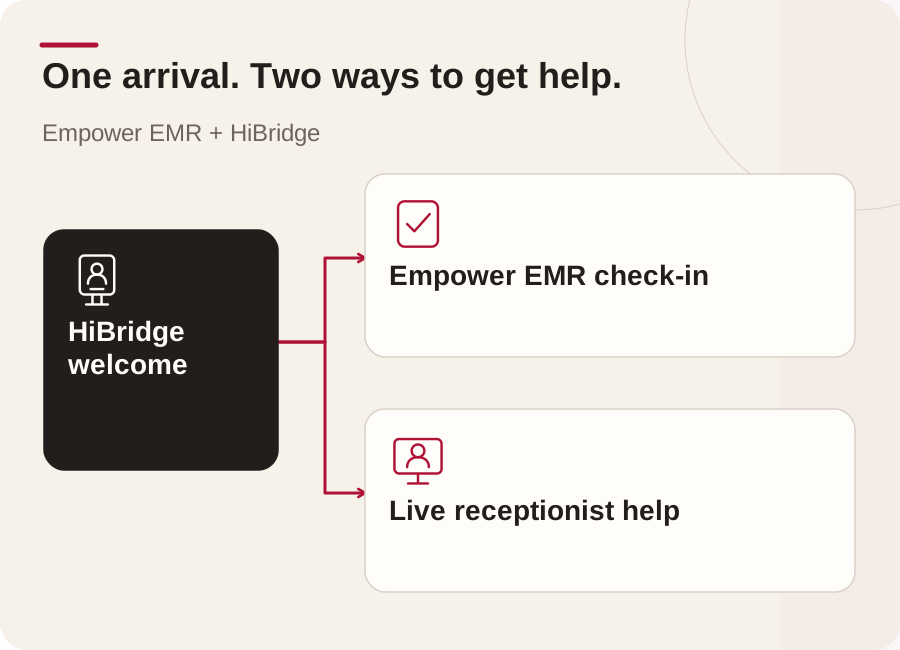
Patients can move independently when check-in is simple. When a question, exception, or accessibility need arises, HiBridge keeps a receptionist close without forcing the patient to restart the process.
Mutual client in practice
At Asara Physical Therapy, patients can begin from a branded HiBridge welcome screen. Choosing check-in opens the Empower EMR workflow within the same front desk experience. Routine steps stay self-service, while a live-assistance option keeps reception support within reach.

Mutual HiBridge and Empower EMR client
The experience preserves patient choice. A patient can check in independently, request assistance, or connect with a receptionist through the same front desk interface.
Visit Asara Physical Therapy →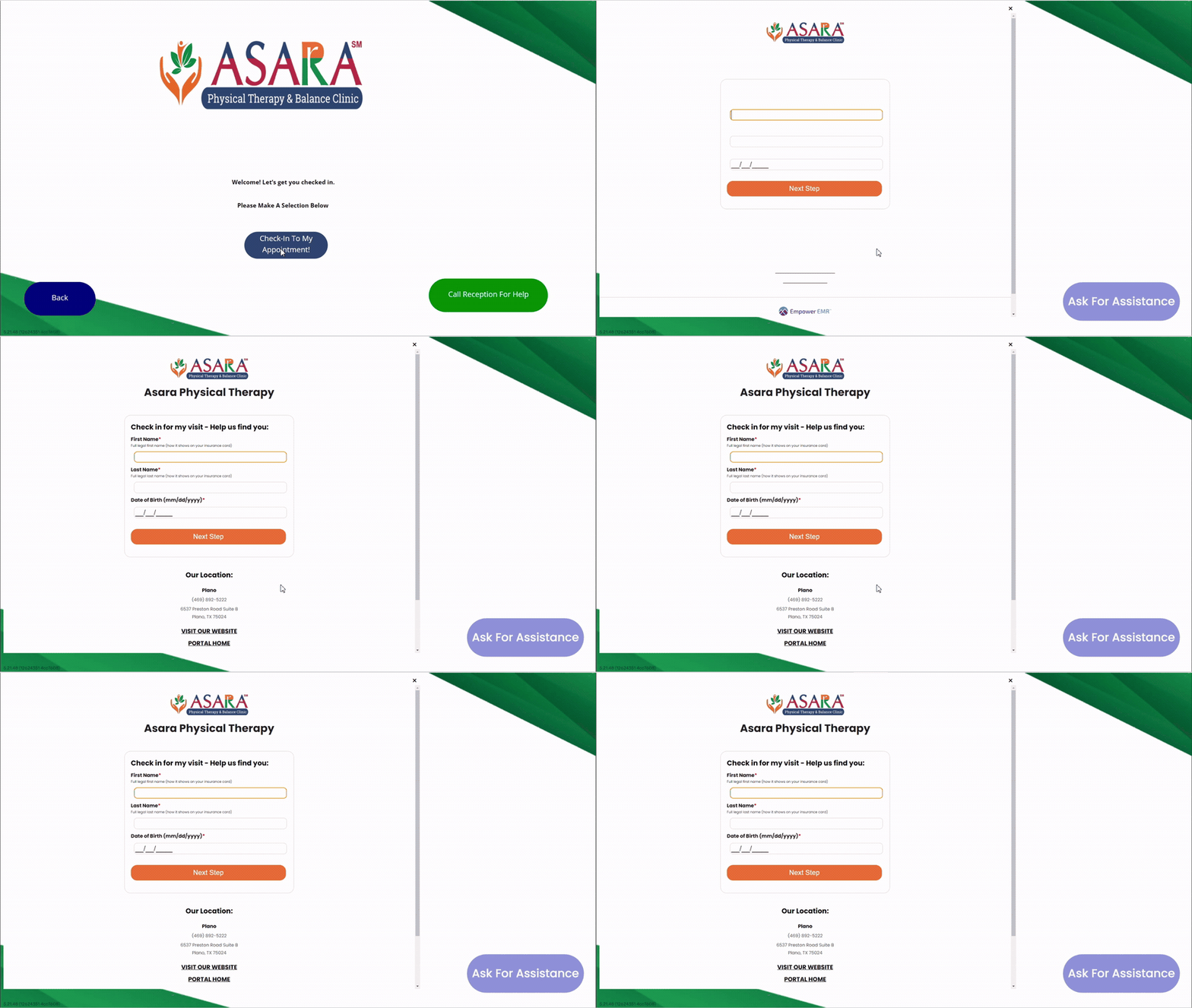
The connected journey
The HiBridge welcome screen presents check-in and live assistance as clear options.
The patient enters the practice's self check-in workflow without leaving the front desk experience.
Routine arrival information moves through the Empower EMR process configured by the practice.
A live-assistance option remains visible so a HiBridge receptionist can step in by live video.
Questions
A practice can present its Empower EMR self check-in workflow within the HiBridge front desk experience. Patients complete routine check-in steps while HiBridge keeps live receptionist assistance available when needed.
A live-assistance option remains available so a patient can connect with a HiBridge receptionist by live video without leaving the front desk experience.
Yes. Asara Physical Therapy is a mutual client whose patient journey connects a branded HiBridge welcome experience, Empower EMR self check-in, and access to live assistance.
No. It gives practices a flexible operating model. Automation handles routine check-in steps, while a live receptionist remains available for questions, exceptions, and personal support.
Build the right patient journey
Tell us about your locations, systems, staffing model, and patient journey. We will help you evaluate the right combination.
The Asara workflow shown here is based on the HiBridge patient check-in demonstration for this mutual-client experience. Implementation scope and supported steps are confirmed for each practice during discovery.