Case Study
How Rose City Physical Therapy Reduced Its Front Desk Staffing Budget by About 50%
A 30-year Portland practice solved a staffing shortage with a live virtual receptionist, cutting front-end staffing costs while keeping check-in personal.

Key takeaways
- After three to four weeks of due diligence, Rose City chose HiBridge for its customer service, software, and real front desk hardware.
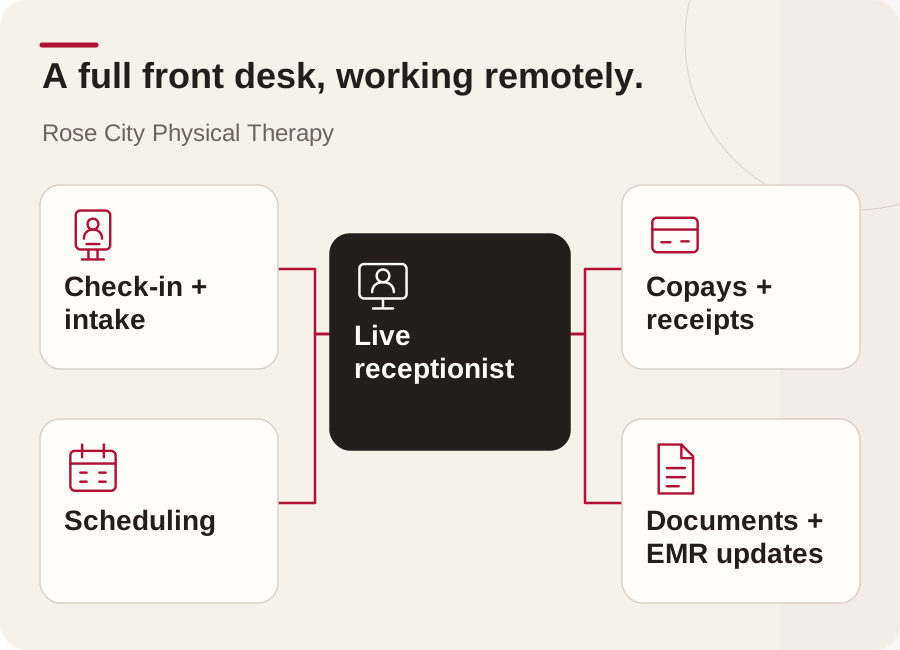
- Their virtual receptionist works as a full front desk equivalent: check-in, copays, scheduling, intake, scanning, and EMR updates.
- Karl reports the front-end staffing budget down about 50 percent and stronger efficiency, with patients fully embracing the system.
A physical therapy practice facing a familiar front desk challenge
Rose City Physical Therapy had a challenge shared by many private practices: maintaining reliable front desk coverage while healthcare costs, operating expenses, and staff salaries continued to rise. At the same time, reimbursements were moving in the opposite direction.
The Portland, Oregon practice has served its community for 30 years. Karl Kolbeck and his wife purchased the practice 10 years ago and operate a six-therapist primary location, along with a satellite clinic inside a 20,000-member athletic club. They needed a front desk model that could support both locations, reduce staffing pressure, and preserve a personal patient experience.
Choosing a virtual front desk after careful due diligence
Karl and his wife first explored virtual reception platforms at the Private Practice Section Annual Conference in Denver in 2022. They met with several vendors and spent approximately three to four weeks evaluating their options.
What distinguished HiBridge, formerly Virtual Sally, was the combination of customer service, software, and practical front desk hardware. Karl specifically highlighted the availability and support provided by Mark, Wendy, and Luis throughout the evaluation process. Although he and his wife did not consider themselves early adopters of technology, the team’s responsiveness helped them move forward with confidence.
A live receptionist, not a self-service-only kiosk
The patient experience begins with a simple touchscreen. Patients answer basic prompts, such as whether they have an appointment and whether the visit is an initial evaluation or a follow-up. They are then connected with a live receptionist by video.
For Rose City Physical Therapy, this distinction mattered. The goal was not to remove human interaction. It was to give a live receptionist the tools needed to work remotely while still greeting patients, answering questions, and supporting the full check-in and checkout process.
Supporting payments, documents, and patient intake
The practice also wanted payment processing to feel secure and familiar. Its credit card terminal is connected to the front desk system, allowing the authorized receptionist to process a card by swipe, tap, or chip and print a receipt. Patients do not need to read card numbers aloud or hold a card up to a camera.
The connected printer and scanner support additional front desk work. The receptionist can print paperwork and receipts, scan IDs and insurance cards, and attach documents to the appropriate patient record. These capabilities allow the virtual role to support day-to-day operations beyond simply greeting patients.
Operating as a full front desk equivalent
Karl described the work of their virtual receptionist, Jeewa, as equivalent to a full front desk position. His responsibilities include checking in visits, processing copays, printing schedules, scheduling patients, managing cancellations, completing new-patient intake, explaining paperwork, and adding scanned documents to the practice’s EMR.
When Jeewa is not actively assisting a patient at the terminal, he supports administrative work in the background. This includes benefit verification, confirming that referrals are attached to upcoming evaluations, and checking that postoperative patients have the required surgical or operative reports before their appointments.
The reported result: lower staffing costs and stronger efficiency
According to Karl’s testimonial, onboarding the virtual receptionist reduced Rose City Physical Therapy’s front-end staffing budget by about 50 percent. He also reported a significant improvement in front desk efficiency.
Equally important, the practice did not experience the patient resistance it initially feared. Patients learned Jeewa’s name, he learned theirs, and regular visitors developed genuine rapport with him. Karl recalled that some patients enjoyed talking with him so much that staff occasionally had to keep the line moving.
The approximately 50 percent reduction is Rose City Physical Therapy’s reported experience. Results vary by staffing model, workflow, location, and implementation.
A model designed to grow with the practice
HiBridge can also support a receptionist who monitors multiple waiting rooms, which can be valuable for practices operating more than one clinic. Karl recommends that multi-location organizations see this workflow in a demonstration so they can understand how virtual coverage may be coordinated across sites.
For Rose City Physical Therapy, the value came from combining technology with a real person. The practice gained a simpler patient workflow, broader administrative support, and a more flexible staffing model without giving up the human connection at the front desk.
Explore a virtual front desk for your practice
If staffing shortages or rising front desk costs are affecting your practice, we'll show you how a live virtual receptionist fits your existing workflow: check-in, payments, scanning, printing, and multi-location reception.
Or model your own numbers with the staffing and savings calculator.
Book a demoRelated
More from the HiBridge library
 Case Study
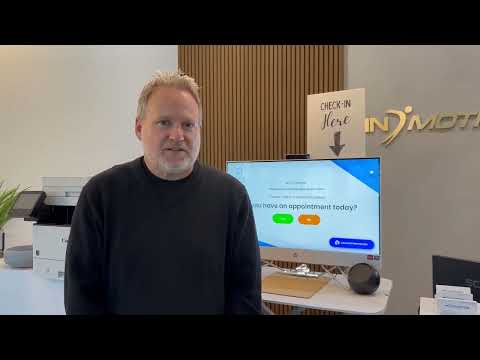
Why In Motion OC Chose a Virtual Front Desk for Physical Therapy
An Orange County practice moved to a remote-staffed virtual front desk for lower overhead and a more modern patient experience.
Read → Patient Story
A Simple Virtual Patient Check-In Experience: Tim Bibee’s Story
A first-time, self-described non-tech-savvy patient on why a guided, live virtual check-in felt easy and personal.
Read → Patient Story
How a Virtual Front Desk Preserved Human Connection and Privacy
A patient who prefers dealing with real people on why virtual check-in kept the human connection, and the privacy, intact.
Read →