Patient Story
A Simple Virtual Patient Check-In Experience: Tim Bibee’s Story
A first-time, self-described non-tech-savvy patient on why a guided, live virtual check-in felt easy and personal.

Key takeaways
- A first-time, self-described non-tech-savvy patient found the check-in easy to navigate.
- A dedicated live receptionist guided him through registration, payment, and rescheduling.
- His takeaway: he would recommend it to anybody.
A first-time experience with virtual reception
Trying a new patient check-in process can create uncertainty, especially when technology is involved. Tim Bibee described himself as an older patient who is not particularly tech-savvy. Before using the virtual front desk for the first time, he felt a little apprehensive.
That concern disappeared once the process began. Tim found the system easy to navigate and, most importantly, he had a live person available to help him throughout the interaction.
Dedicated attention without front desk interruptions
At a traditional front desk, the person assisting a patient may also be answering phones, speaking with coworkers, and managing several other tasks at once. Tim had experienced interruptions and miscommunication in other facilities when the representative was not able to focus fully on him.
With the virtual receptionist, he felt as though he had a dedicated customer service representative. The person on the screen could collect his information, explain what was needed, and guide him through each step.
Check-in, payment, and the next appointment
The experience continued through checkout. Tim’s receptionist helped with his payment information and rescheduled his next appointment. Instead of having to figure out the process alone, he had real-time assistance during registration, payment, and scheduling.
That combination made the technology feel more comfortable. The screen provided access to the workflow, but the live receptionist provided the confidence and personal support.
Do patients need to be tech-savvy?
Tim’s experience shows why a virtual front desk does not have to feel like an unsupported self-service kiosk. Patients do not need to understand every part of the technology. They can follow simple prompts and ask the receptionist for help whenever they need it.
For Tim, the result was an easy and positive first experience. Although he began with some hesitation, he finished by saying he would recommend it to anybody.
Keep a live person in the patient experience
HiBridge connects patients with a live receptionist by video while handling registration, payments, and scheduling, so check-in stays simple, guided, and personal.
Or model your own numbers with the staffing and savings calculator.
Book a demoRelated
More from the HiBridge library
 Case Study
How Rose City Physical Therapy Reduced Its Front Desk Staffing Budget by About 50%
A 30-year Portland practice solved a staffing shortage with a live virtual receptionist, cutting front-end staffing costs while keeping check-in personal.
Read →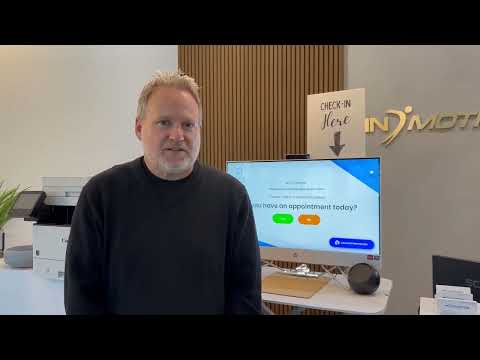 Case Study
Why In Motion OC Chose a Virtual Front Desk for Physical Therapy
An Orange County practice moved to a remote-staffed virtual front desk for lower overhead and a more modern patient experience.
Read → Patient Story
How a Virtual Front Desk Preserved Human Connection and Privacy
A patient who prefers dealing with real people on why virtual check-in kept the human connection, and the privacy, intact.
Read →