Research & guides / Physical therapy
Virtual Receptionist for Physical Therapy Clinics: A Practical Solution for a Busy Front Desk
See how live virtual reception can help PT clinics manage busy arrivals, check-in, scheduling questions, and coverage while keeping patients connected to people.
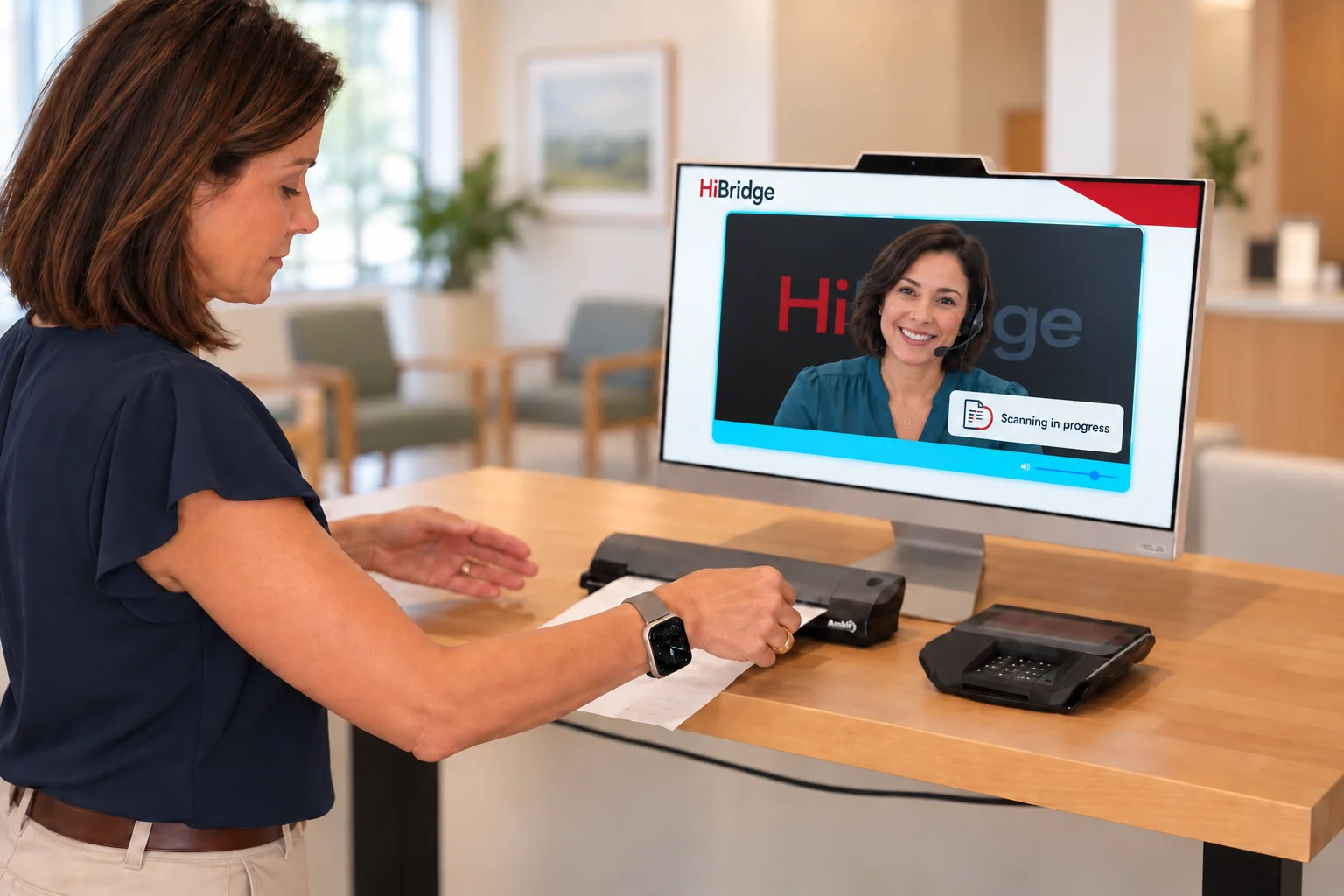
Two patients arrive while the phone rings. One needs help with paperwork; another wants to change next week's appointment. A therapist steps away from patient care to find someone who can help. When these requests converge, the problem is how the work reaches the right person.
A virtual receptionist can help a physical therapy clinic separate routine arrival steps from conversations that need attention. With HiBridge, patients can use self check-in and connect with a real receptionist on screen. The clinic keeps control of its policies, schedules, and clinical care, while reception work can be shared across an appropriately staffed team.
What front desk problems can this solve?
The Bureau of Labor Statistics identifies calls, appointments, visitor reception, and records among common receptionist responsibilities. In a PT clinic, those duties often intersect during appointment changes. A useful solution gives each request a clear route.
| Front desk problem | A practical response | Why it can help |
|---|---|---|
| Arrivals compete with calls | Offer self check-in alongside staffed live assistance | Routine arrivals have a path forward while receptionists handle conversations |
| Paperwork interrupts the team | Present the clinic's configured forms and a visible help option | Patients can begin approved steps without finding an available employee first |
| Scheduling questions repeat | Give receptionists approved instructions and authorized system access | Administrative questions have a designated owner |
| Absence leaves a coverage gap | Plan backup through existing staff, a central team, or a staffing partner | Coverage depends on a team plan instead of one person's availability |
| Several clinics have uneven demand | Share reception capacity with location-specific procedures | Help can reach more than one site when staffing and volume allow |
These are mechanisms to evaluate, not measured results for every practice. A screen alone does not create capacity, and one remote receptionist cannot manage unlimited simultaneous conversations.
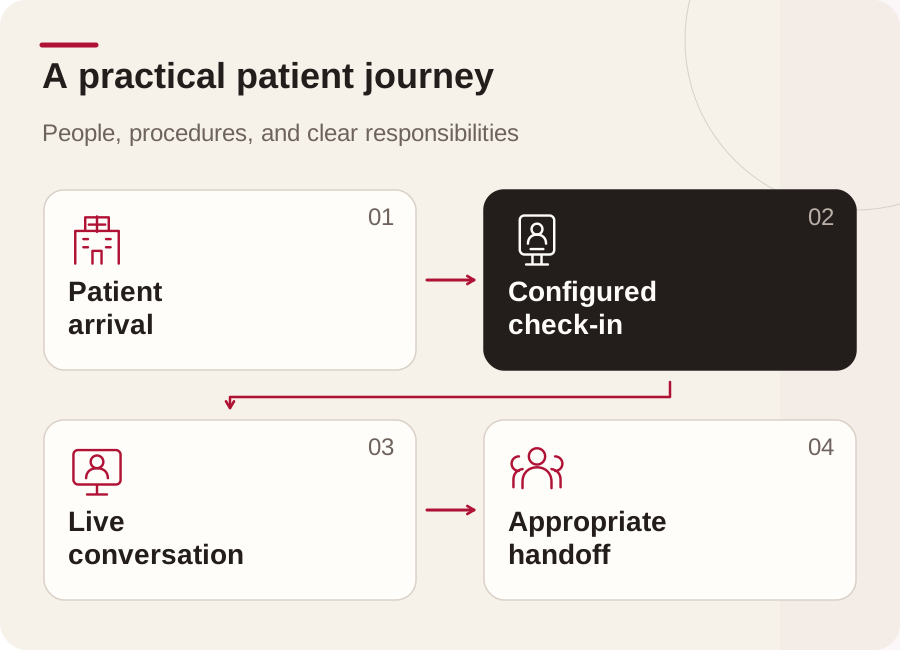
How would a patient's visit actually work?
Consider this illustrative arrival at a clinic that has enabled check-in, forms, and payments:
- Arrive and choose a path. The patient sees clear check-in instructions and an option to speak with a receptionist. Staff remain available for someone who cannot use the screen.
- Complete the routine steps. The patient follows the configured identity and arrival process. Required forms and an approved payment step appear only where those functions are enabled.
- Ask a person. A question about next week's appointment brings a real remote receptionist into a live video conversation during staffed hours. HiBridge is not an AI receptionist.
- Resolve the administrative request. The receptionist uses the clinic's authorized scheduling system and rules, or sends the request to the designated employee. Access and training must be arranged; automatic synchronization with every EMR should not be assumed.
- Hand off the exception. A clinical concern goes to the clinical team. A patient who needs physical assistance receives help from an appropriate person onsite. The team follows its agreed process for confirming arrival and unresolved requests.
The HiBridge platform and self check-in overview explain the available building blocks. A demonstration should show the exact combination proposed for your clinic.
Why combine self-service with a live person?
Routine steps and uncertain requests need different kinds of support. A returning patient who understands the process may want to check in directly. A new patient may need someone to explain where to go or whom to ask about a form. Offering both paths lets the clinic organize help around the request.
AHRQ recommends a human option in automated phone systems, scripts for common questions, and plans for unanswered transfers. Apply that thinking to the lobby: make assistance visible, explain what happens next, and name a backup contact.
Can we keep our current front desk staff?
Yes. A clinic can use its own staff, centralize reception across locations, arrange coverage through HiBridge staffing partners, or combine those approaches. For example, an onsite employee might focus on physical assistance and complex local tasks while a scheduled remote team handles selected administrative conversations.
Specify who covers which hours, languages, breaks, and busy periods. Confirm platform, hardware, implementation, and staffing costs separately where applicable. Extended hours and language coverage depend on the agreed service and available people.
What needs to stay with the clinic?
Clinical decisions, emergency response, and physical assistance require appropriate qualified staff and onsite procedures. Receptionists should follow approved administrative scripts rather than diagnose, change treatment, or promise insurance coverage. A late-arrival script might say: “I'll check the clinic's policy and confirm the next step with the team.”
Before launch, review account permissions, patient identification, screen placement, audio privacy, and how sessions end. HHS explains that certain outside services handling protected health information are business associates and require appropriate agreements. Have the clinic's privacy lead assess the actual arrangement. Keep patient details out of public website and advertising analytics.
How can we tell whether it is working?
Record a baseline, then pilot one workflow during representative busy and quiet periods. Review:
- Time from arrival to acknowledgment, including waits for live help.
- Check-in completion and the steps where patients need assistance.
- Administrative interruptions to onsite staff.
- Scheduling requests resolved or handed off with clear ownership.
- Payment-step completion and exceptions, only where configured.
- Patient feedback and the workload of both remote and onsite teams.
Use aggregate operational measures with appropriate privacy controls. Compare similar periods and account for staffing or volume changes. These observations can guide improvements; they do not establish guaranteed savings, fewer missed visits, or better clinical outcomes.
Does this approach apply beyond physical therapy?
Yes, the same design question applies wherever people arrive, ask questions, and need a handoff. A fitness center may need membership assistance; a professional office may need appointment reception; an education office may need visitor directions. Each organization must validate its own workflows, access rules, accessibility needs, and onsite responsibilities. PT is one application of the broader virtual front desk concept.
See the solution with your clinic's workflow
Bring your busiest arrival scenario, scheduling rules, and staffing gaps to a HiBridge demo. Ask to see routine check-in, live assistance, an unresolved request, and the onsite backup process. That makes the decision about how your front desk will work for patients and staff every day.